Instructions to use neph1/bellman-mistral-7b-instruct-v0.3 with libraries, inference providers, notebooks, and local apps. Follow these links to get started.
- Libraries
- Transformers
How to use neph1/bellman-mistral-7b-instruct-v0.3 with Transformers:
# Use a pipeline as a high-level helper from transformers import pipeline pipe = pipeline("text-generation", model="neph1/bellman-mistral-7b-instruct-v0.3") messages = [ {"role": "user", "content": "Who are you?"}, ] pipe(messages)# Load model directly from transformers import AutoTokenizer, AutoModelForCausalLM tokenizer = AutoTokenizer.from_pretrained("neph1/bellman-mistral-7b-instruct-v0.3") model = AutoModelForCausalLM.from_pretrained("neph1/bellman-mistral-7b-instruct-v0.3") messages = [ {"role": "user", "content": "Who are you?"}, ] inputs = tokenizer.apply_chat_template( messages, add_generation_prompt=True, tokenize=True, return_dict=True, return_tensors="pt", ).to(model.device) outputs = model.generate(**inputs, max_new_tokens=40) print(tokenizer.decode(outputs[0][inputs["input_ids"].shape[-1]:])) - Notebooks
- Google Colab
- Kaggle
- Local Apps
- vLLM
How to use neph1/bellman-mistral-7b-instruct-v0.3 with vLLM:
Install from pip and serve model
# Install vLLM from pip: pip install vllm # Start the vLLM server: vllm serve "neph1/bellman-mistral-7b-instruct-v0.3" # Call the server using curl (OpenAI-compatible API): curl -X POST "http://localhost:8000/v1/chat/completions" \ -H "Content-Type: application/json" \ --data '{ "model": "neph1/bellman-mistral-7b-instruct-v0.3", "messages": [ { "role": "user", "content": "What is the capital of France?" } ] }'Use Docker
docker model run hf.co/neph1/bellman-mistral-7b-instruct-v0.3
- SGLang
How to use neph1/bellman-mistral-7b-instruct-v0.3 with SGLang:
Install from pip and serve model
# Install SGLang from pip: pip install sglang # Start the SGLang server: python3 -m sglang.launch_server \ --model-path "neph1/bellman-mistral-7b-instruct-v0.3" \ --host 0.0.0.0 \ --port 30000 # Call the server using curl (OpenAI-compatible API): curl -X POST "http://localhost:30000/v1/chat/completions" \ -H "Content-Type: application/json" \ --data '{ "model": "neph1/bellman-mistral-7b-instruct-v0.3", "messages": [ { "role": "user", "content": "What is the capital of France?" } ] }'Use Docker images
docker run --gpus all \ --shm-size 32g \ -p 30000:30000 \ -v ~/.cache/huggingface:/root/.cache/huggingface \ --env "HF_TOKEN=<secret>" \ --ipc=host \ lmsysorg/sglang:latest \ python3 -m sglang.launch_server \ --model-path "neph1/bellman-mistral-7b-instruct-v0.3" \ --host 0.0.0.0 \ --port 30000 # Call the server using curl (OpenAI-compatible API): curl -X POST "http://localhost:30000/v1/chat/completions" \ -H "Content-Type: application/json" \ --data '{ "model": "neph1/bellman-mistral-7b-instruct-v0.3", "messages": [ { "role": "user", "content": "What is the capital of France?" } ] }' - Unsloth Studio new
How to use neph1/bellman-mistral-7b-instruct-v0.3 with Unsloth Studio:
Install Unsloth Studio (macOS, Linux, WSL)
curl -fsSL https://unsloth.ai/install.sh | sh # Run unsloth studio unsloth studio -H 0.0.0.0 -p 8888 # Then open http://localhost:8888 in your browser # Search for neph1/bellman-mistral-7b-instruct-v0.3 to start chatting
Install Unsloth Studio (Windows)
irm https://unsloth.ai/install.ps1 | iex # Run unsloth studio unsloth studio -H 0.0.0.0 -p 8888 # Then open http://localhost:8888 in your browser # Search for neph1/bellman-mistral-7b-instruct-v0.3 to start chatting
Using HuggingFace Spaces for Unsloth
# No setup required # Open https://huggingface.co/spaces/unsloth/studio in your browser # Search for neph1/bellman-mistral-7b-instruct-v0.3 to start chatting
Load model with FastModel
pip install unsloth from unsloth import FastModel model, tokenizer = FastModel.from_pretrained( model_name="neph1/bellman-mistral-7b-instruct-v0.3", max_seq_length=2048, ) - Docker Model Runner
How to use neph1/bellman-mistral-7b-instruct-v0.3 with Docker Model Runner:
docker model run hf.co/neph1/bellman-mistral-7b-instruct-v0.3
It's finetuned for prompt question answering, based on a dataset created from Swedish wikipedia, with a lot of Sweden-centric questions. New in this version is a multi-turn dataset of about 250 conversations, as well as a number of stories.
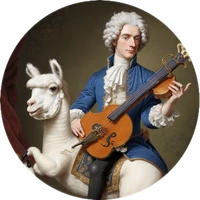
The name comes from the Swedish bard and poet Carl Mikael Bellman who lived in the 1700s. As with any bard, what this model says should be taken with a grain of salt. Even though it has the best of intentions.

Configuration:
Rank: 256
Alpha: 512
Learning rate (at start): 2e-5
Context length: 4096
Training length: ca 2 epochs
Important. Use correct prompt format for best results: [INST]Hur bakar jag en sockerkaka?[/INST]
TrainingArguments( per_device_train_batch_size = 6, gradient_accumulation_steps = 20, num_train_epochs=4, warmup_steps = 10, learning_rate = 2e-5, bf16 = true, logging_steps = 5, optim = "adamw_8bit", weight_decay = 0.01, lr_scheduler_type = "linear", seed = 3407, per_device_eval_batch_size = 6, eval_strategy="steps", eval_accumulation_steps = 20, eval_steps = 5, eval_delay = 0, save_strategy="steps", save_steps=5, report_to="none", output_dir="", )
Uploaded model
- Developed by: neph1
- License: apache-2.0
- Finetuned from model : unsloth/mistral-7b-instruct-v0.3-bnb-4bit
This mistral model was trained 2x faster with Unsloth and Huggingface's TRL library.

- Downloads last month
- 5

