
Instructions to use calcuis/lumina-gguf with libraries, inference providers, notebooks, and local apps. Follow these links to get started.
- Libraries
- llama-cpp-python
How to use calcuis/lumina-gguf with llama-cpp-python:
# !pip install llama-cpp-python from llama_cpp import Llama llm = Llama.from_pretrained( repo_id="calcuis/lumina-gguf", filename="gemma-2-2b-test-q4_0.gguf", )
output = llm( "Once upon a time,", max_tokens=512, echo=True ) print(output)
- Notebooks
- Google Colab
- Kaggle
- Local Apps
- llama.cpp
How to use calcuis/lumina-gguf with llama.cpp:
Install from brew
brew install llama.cpp # Start a local OpenAI-compatible server with a web UI: llama-server -hf calcuis/lumina-gguf:Q4_K_M # Run inference directly in the terminal: llama-cli -hf calcuis/lumina-gguf:Q4_K_M
Install from WinGet (Windows)
winget install llama.cpp # Start a local OpenAI-compatible server with a web UI: llama-server -hf calcuis/lumina-gguf:Q4_K_M # Run inference directly in the terminal: llama-cli -hf calcuis/lumina-gguf:Q4_K_M
Use pre-built binary
# Download pre-built binary from: # https://github.com/ggerganov/llama.cpp/releases # Start a local OpenAI-compatible server with a web UI: ./llama-server -hf calcuis/lumina-gguf:Q4_K_M # Run inference directly in the terminal: ./llama-cli -hf calcuis/lumina-gguf:Q4_K_M
Build from source code
git clone https://github.com/ggerganov/llama.cpp.git cd llama.cpp cmake -B build cmake --build build -j --target llama-server llama-cli # Start a local OpenAI-compatible server with a web UI: ./build/bin/llama-server -hf calcuis/lumina-gguf:Q4_K_M # Run inference directly in the terminal: ./build/bin/llama-cli -hf calcuis/lumina-gguf:Q4_K_M
Use Docker
docker model run hf.co/calcuis/lumina-gguf:Q4_K_M
- LM Studio
- Jan
- Ollama
How to use calcuis/lumina-gguf with Ollama:
ollama run hf.co/calcuis/lumina-gguf:Q4_K_M
- Unsloth Studio new
How to use calcuis/lumina-gguf with Unsloth Studio:
Install Unsloth Studio (macOS, Linux, WSL)
curl -fsSL https://unsloth.ai/install.sh | sh # Run unsloth studio unsloth studio -H 0.0.0.0 -p 8888 # Then open http://localhost:8888 in your browser # Search for calcuis/lumina-gguf to start chatting
Install Unsloth Studio (Windows)
irm https://unsloth.ai/install.ps1 | iex # Run unsloth studio unsloth studio -H 0.0.0.0 -p 8888 # Then open http://localhost:8888 in your browser # Search for calcuis/lumina-gguf to start chatting
Using HuggingFace Spaces for Unsloth
# No setup required # Open https://huggingface.co/spaces/unsloth/studio in your browser # Search for calcuis/lumina-gguf to start chatting
- Docker Model Runner
How to use calcuis/lumina-gguf with Docker Model Runner:
docker model run hf.co/calcuis/lumina-gguf:Q4_K_M
- Lemonade
How to use calcuis/lumina-gguf with Lemonade:
Pull the model
# Download Lemonade from https://lemonade-server.ai/ lemonade pull calcuis/lumina-gguf:Q4_K_M
Run and chat with the model
lemonade run user.lumina-gguf-Q4_K_M
List all available models
lemonade list
gguf quantized version of lumina
- run it straight with
gguf-connector
ggc l2
GGUF file(s) available. Select which one to use:
- lumina2-q2_k.gguf
- lumina2-q4_0.gguf
- lumina2-q8_0.gguf
Enter your choice (1 to 3): _
- opt a
gguffile in your current directory to interact with; nothing else - you will get the image output in few seconds even with the beginner level gpu
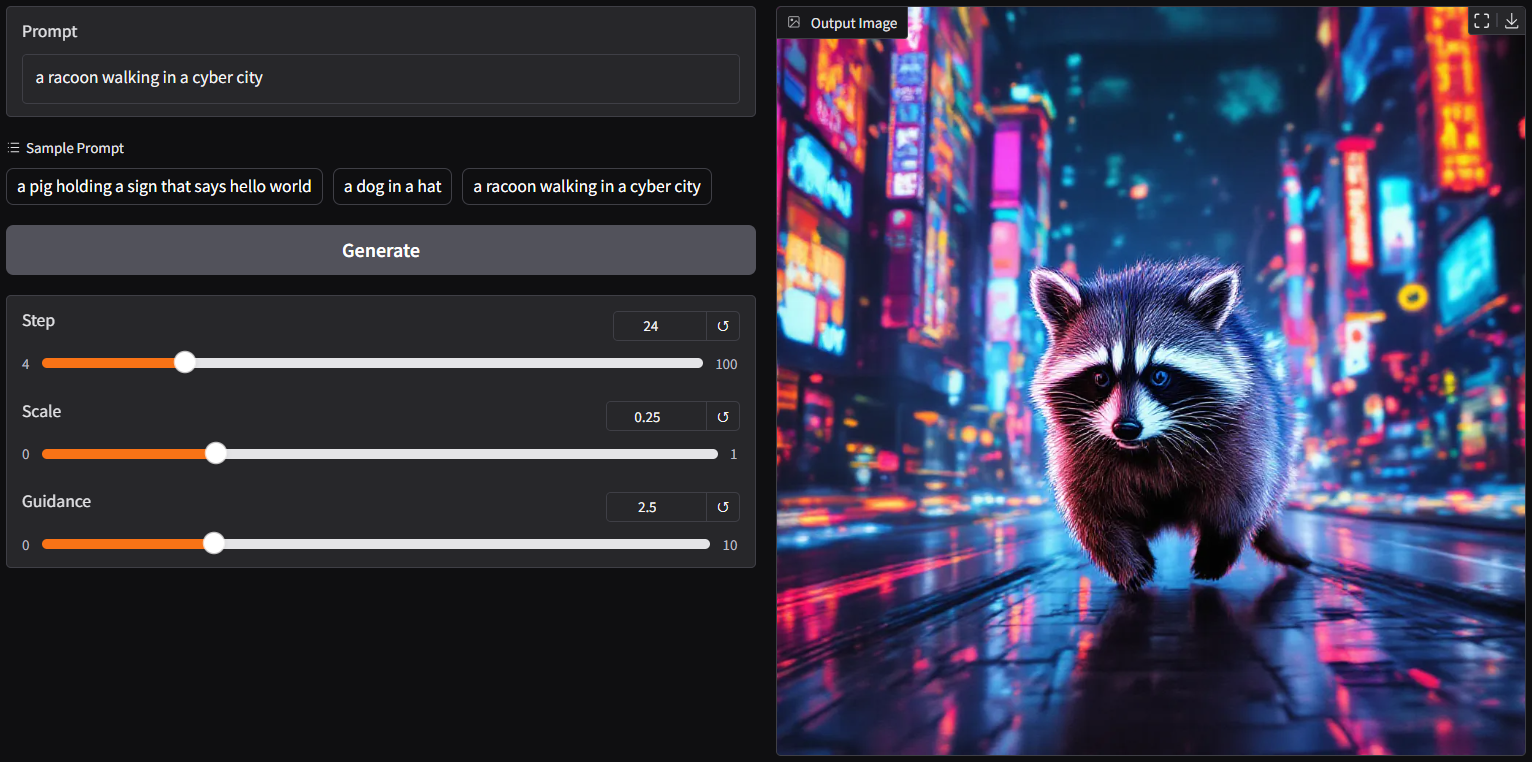
run it with gguf-node via comfyui
- drag lumina2 (opt anyone you like) to >
./ComfyUI/models/diffusion_models - drag gemma2-2b [2.32GB] and tokenizer [4.24MB] to >
./ComfyUI/models/text_encoders - drag pig [168MB] to >
./ComfyUI/models/vae
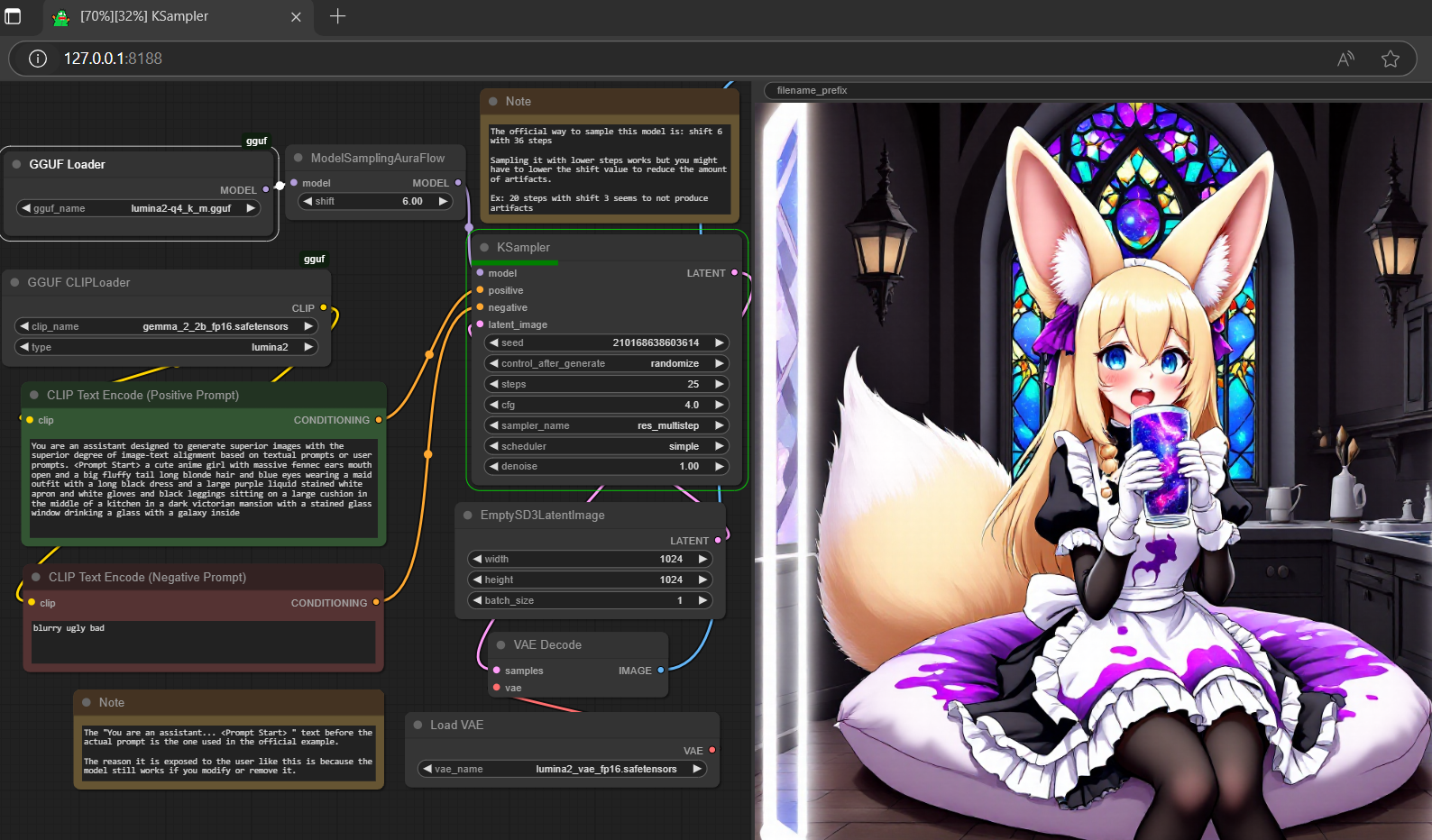
- Prompt
- You are an assistant designed to generate superior images with the superior degree of image-text alignment based on textual prompts or user prompts. <Prompt Start> a cute anime girl with massive fennec ears mouth open and a big fluffy tail long blonde hair and blue eyes wearing a maid outfit with a long black dress and a large purple liquid stained white apron and white gloves and black leggings sitting on a large cushion in the middle of a kitchen in a dark victorian mansion with a stained glass window drinking a glass with a galaxy inside
- Negative Prompt
- blurry ugly bad

- Prompt
- You are an assistant designed to generate superior images with the superior degree of image-text alignment based on textual prompts or user prompts. <Prompt Start> a cute anime girl with massive fennec ears mouth open and a big fluffy tail long blonde hair and blue eyes wearing a maid outfit with a long black dress and a large purple liquid stained white apron and white gloves and black leggings sitting on a large cushion in the middle of a kitchen in a dark victorian mansion with a stained glass window drinking a glass with a galaxy inside
- Negative Prompt
- blurry ugly bad

- Prompt
- You are an assistant designed to generate superior images with the superior degree of image-text alignment based on textual prompts or user prompts. <Prompt Start> a cute anime girl with massive fennec ears mouth open and a big fluffy tail long blonde hair and blue eyes wearing a maid outfit with a long black dress and a large purple liquid stained white apron and white gloves and black leggings sitting on a large cushion in the middle of a kitchen in a dark victorian mansion with a stained glass window drinking a glass with a galaxy inside
- Negative Prompt
- blurry ugly bad
reference
- base model from alpha-vllm
- finetune model from neta-art
- gemma-2-2b (act as text encoder) from google
- flux.1-dev vae (act as vae decoder) from black-forest-labs
- comfyui from comfyanonymous
- pig architecture from connector
- gguf-node (pypi|repo|pack)
- gguf-connector (pypi)
- Downloads last month
- 2,525
Hardware compatibility
Log In to add your hardware
2-bit
3-bit
4-bit
5-bit
6-bit
8-bit
16-bit
Model tree for calcuis/lumina-gguf
Base model
Alpha-VLLM/Lumina-Image-2.0
