

Instructions to use QuantFactory/Llama3.2-3B-ShiningValiant2-GGUF with libraries, inference providers, notebooks, and local apps. Follow these links to get started.
- Libraries
- llama-cpp-python
How to use QuantFactory/Llama3.2-3B-ShiningValiant2-GGUF with llama-cpp-python:
# !pip install llama-cpp-python from llama_cpp import Llama llm = Llama.from_pretrained( repo_id="QuantFactory/Llama3.2-3B-ShiningValiant2-GGUF", filename="Llama3.2-3B-ShiningValiant2.Q2_K.gguf", )
llm.create_chat_completion( messages = [ { "role": "user", "content": "What is the capital of France?" } ] ) - Notebooks
- Google Colab
- Kaggle
- Local Apps
- llama.cpp
How to use QuantFactory/Llama3.2-3B-ShiningValiant2-GGUF with llama.cpp:
Install from brew
brew install llama.cpp # Start a local OpenAI-compatible server with a web UI: llama-server -hf QuantFactory/Llama3.2-3B-ShiningValiant2-GGUF:Q4_K_M # Run inference directly in the terminal: llama-cli -hf QuantFactory/Llama3.2-3B-ShiningValiant2-GGUF:Q4_K_M
Install from WinGet (Windows)
winget install llama.cpp # Start a local OpenAI-compatible server with a web UI: llama-server -hf QuantFactory/Llama3.2-3B-ShiningValiant2-GGUF:Q4_K_M # Run inference directly in the terminal: llama-cli -hf QuantFactory/Llama3.2-3B-ShiningValiant2-GGUF:Q4_K_M
Use pre-built binary
# Download pre-built binary from: # https://github.com/ggerganov/llama.cpp/releases # Start a local OpenAI-compatible server with a web UI: ./llama-server -hf QuantFactory/Llama3.2-3B-ShiningValiant2-GGUF:Q4_K_M # Run inference directly in the terminal: ./llama-cli -hf QuantFactory/Llama3.2-3B-ShiningValiant2-GGUF:Q4_K_M
Build from source code
git clone https://github.com/ggerganov/llama.cpp.git cd llama.cpp cmake -B build cmake --build build -j --target llama-server llama-cli # Start a local OpenAI-compatible server with a web UI: ./build/bin/llama-server -hf QuantFactory/Llama3.2-3B-ShiningValiant2-GGUF:Q4_K_M # Run inference directly in the terminal: ./build/bin/llama-cli -hf QuantFactory/Llama3.2-3B-ShiningValiant2-GGUF:Q4_K_M
Use Docker
docker model run hf.co/QuantFactory/Llama3.2-3B-ShiningValiant2-GGUF:Q4_K_M
- LM Studio
- Jan
- vLLM
How to use QuantFactory/Llama3.2-3B-ShiningValiant2-GGUF with vLLM:
Install from pip and serve model
# Install vLLM from pip: pip install vllm # Start the vLLM server: vllm serve "QuantFactory/Llama3.2-3B-ShiningValiant2-GGUF" # Call the server using curl (OpenAI-compatible API): curl -X POST "http://localhost:8000/v1/chat/completions" \ -H "Content-Type: application/json" \ --data '{ "model": "QuantFactory/Llama3.2-3B-ShiningValiant2-GGUF", "messages": [ { "role": "user", "content": "What is the capital of France?" } ] }'Use Docker
docker model run hf.co/QuantFactory/Llama3.2-3B-ShiningValiant2-GGUF:Q4_K_M
- Ollama
How to use QuantFactory/Llama3.2-3B-ShiningValiant2-GGUF with Ollama:
ollama run hf.co/QuantFactory/Llama3.2-3B-ShiningValiant2-GGUF:Q4_K_M
- Unsloth Studio new
How to use QuantFactory/Llama3.2-3B-ShiningValiant2-GGUF with Unsloth Studio:
Install Unsloth Studio (macOS, Linux, WSL)
curl -fsSL https://unsloth.ai/install.sh | sh # Run unsloth studio unsloth studio -H 0.0.0.0 -p 8888 # Then open http://localhost:8888 in your browser # Search for QuantFactory/Llama3.2-3B-ShiningValiant2-GGUF to start chatting
Install Unsloth Studio (Windows)
irm https://unsloth.ai/install.ps1 | iex # Run unsloth studio unsloth studio -H 0.0.0.0 -p 8888 # Then open http://localhost:8888 in your browser # Search for QuantFactory/Llama3.2-3B-ShiningValiant2-GGUF to start chatting
Using HuggingFace Spaces for Unsloth
# No setup required # Open https://huggingface.co/spaces/unsloth/studio in your browser # Search for QuantFactory/Llama3.2-3B-ShiningValiant2-GGUF to start chatting
- Pi new
How to use QuantFactory/Llama3.2-3B-ShiningValiant2-GGUF with Pi:
Start the llama.cpp server
# Install llama.cpp: brew install llama.cpp # Start a local OpenAI-compatible server: llama-server -hf QuantFactory/Llama3.2-3B-ShiningValiant2-GGUF:Q4_K_M
Configure the model in Pi
# Install Pi: npm install -g @mariozechner/pi-coding-agent # Add to ~/.pi/agent/models.json: { "providers": { "llama-cpp": { "baseUrl": "http://localhost:8080/v1", "api": "openai-completions", "apiKey": "none", "models": [ { "id": "QuantFactory/Llama3.2-3B-ShiningValiant2-GGUF:Q4_K_M" } ] } } }Run Pi
# Start Pi in your project directory: pi
- Hermes Agent new
How to use QuantFactory/Llama3.2-3B-ShiningValiant2-GGUF with Hermes Agent:
Start the llama.cpp server
# Install llama.cpp: brew install llama.cpp # Start a local OpenAI-compatible server: llama-server -hf QuantFactory/Llama3.2-3B-ShiningValiant2-GGUF:Q4_K_M
Configure Hermes
# Install Hermes: curl -fsSL https://hermes-agent.nousresearch.com/install.sh | bash hermes setup # Point Hermes at the local server: hermes config set model.provider custom hermes config set model.base_url http://127.0.0.1:8080/v1 hermes config set model.default QuantFactory/Llama3.2-3B-ShiningValiant2-GGUF:Q4_K_M
Run Hermes
hermes
- Docker Model Runner
How to use QuantFactory/Llama3.2-3B-ShiningValiant2-GGUF with Docker Model Runner:
docker model run hf.co/QuantFactory/Llama3.2-3B-ShiningValiant2-GGUF:Q4_K_M
- Lemonade
How to use QuantFactory/Llama3.2-3B-ShiningValiant2-GGUF with Lemonade:
Pull the model
# Download Lemonade from https://lemonade-server.ai/ lemonade pull QuantFactory/Llama3.2-3B-ShiningValiant2-GGUF:Q4_K_M
Run and chat with the model
lemonade run user.Llama3.2-3B-ShiningValiant2-GGUF-Q4_K_M
List all available models
lemonade list
QuantFactory/Llama3.2-3B-ShiningValiant2-GGUF
This is quantized version of ValiantLabs/Llama3.2-3B-ShiningValiant2 created using llama.cpp
Original Model Card
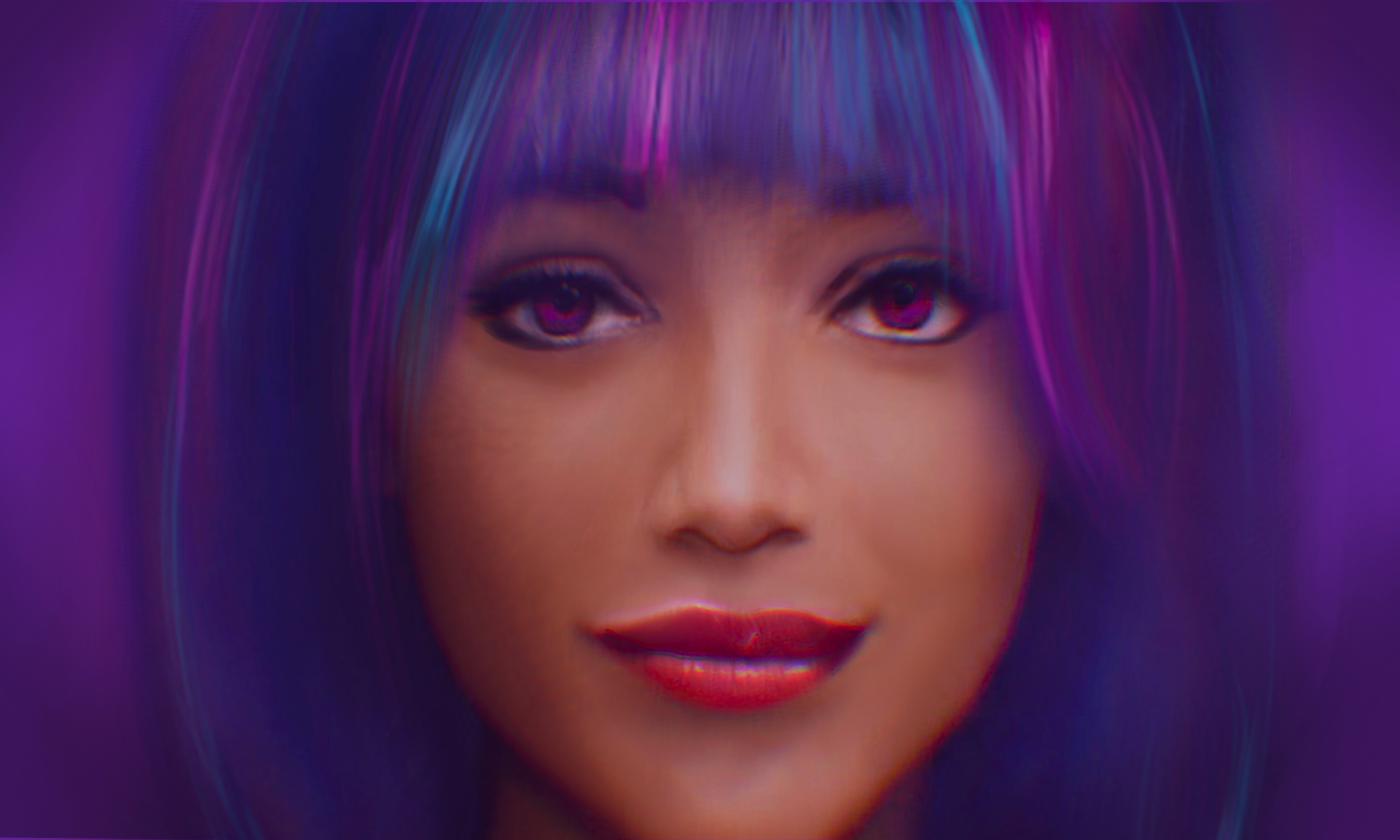
Shining Valiant 2 is a chat model built on Llama 3.2 3b, finetuned on our data for friendship, insight, knowledge and enthusiasm.
- Finetuned on meta-llama/Llama-3.2-3B-Instruct for best available general performance
- Trained on a variety of high quality data; focused on science, engineering, technical knowledge, and structured reasoning
Shining Valiant 2 is also available for Llama 3.1 8b.
Version
This is the 2024-09-27 release of Shining Valiant 2 for Llama 3.2 3b.
We've improved and open-sourced our new baseline science-instruct dataset. This release features improvements in physics, chemistry, biology, and computer science.
Future upgrades will continue to expand Shining Valiant's technical knowledge base.
Help us and recommend Shining Valiant 2 to your friends!
Prompting Guide
Shining Valiant 2 uses the Llama 3.2 Instruct prompt format. The example script below can be used as a starting point for general chat:
import transformers
import torch
model_id = "ValiantLabs/Llama3.2-3B-ShiningValiant2"
pipeline = transformers.pipeline(
"text-generation",
model=model_id,
model_kwargs={"torch_dtype": torch.bfloat16},
device_map="auto",
)
messages = [
{"role": "system", "content": "You are an AI assistant."},
{"role": "user", "content": "Describe the use of chiral auxiliaries in organic synthesis."}
]
outputs = pipeline(
messages,
max_new_tokens=2048,
)
print(outputs[0]["generated_text"][-1])
The Model
Shining Valiant 2 is built on top of Llama 3.2 3b Instruct.
The current version of Shining Valiant 2 is trained on technical knowledge using sequelbox/Celestia and general chat capability using sequelbox/Supernova.
Our private data adds specialist knowledge and Shining Valiant's personality: she's friendly, enthusiastic, insightful, knowledgeable, and loves to learn! Magical. (As a general note: we're hoping to replace and open-source this part of Shining Valiant's dataset with synthetic data soon!)
Shining Valiant 2 is created by Valiant Labs.
Follow us on X for updates on our models!
We care about open source. For everyone to use.
We encourage others to finetune further from our models.
- Downloads last month
- 185
2-bit
3-bit
4-bit
5-bit
6-bit
8-bit
Model tree for QuantFactory/Llama3.2-3B-ShiningValiant2-GGUF
Base model
meta-llama/Llama-3.2-3B-InstructDatasets used to train QuantFactory/Llama3.2-3B-ShiningValiant2-GGUF
sequelbox/Celestia
Evaluation results
- acc on Winogrande (5-shot)self-reported69.850
- normalized accuracy on ARC Challenge (25-Shot)self-reported46.250
- acc on MMLU College Biology (5-shot)self-reported56.250
- acc on MMLU High School Biology (5-shot)self-reported63.550
- acc on MMLU College Chemistry (5-shot)self-reported41.000
- acc on MMLU High School Chemistry (5-shot)self-reported41.380
- acc on MMLU College Physics (5-shot)self-reported34.310
- acc on MMLU High School Physics (5-shot)self-reported35.760
- acc on MMLU College Computer Science (5-shot)self-reported48.000
- acc on MMLU High School Computer Science (5-shot)self-reported58.000
- acc on MMLU STEM (5-shot)self-reported45.540
- strict accuracy on IFEval (0-Shot)Open LLM Leaderboard48.900
- normalized accuracy on BBH (3-Shot)Open LLM Leaderboard19.110
- exact match on MATH Lvl 5 (4-Shot)Open LLM Leaderboard9.140
- acc_norm on GPQA (0-shot)Open LLM Leaderboard3.020
- acc_norm on MuSR (0-shot)Open LLM Leaderboard5.490

