
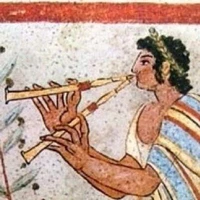
more alcoholic beverages floating in zero-G

After Picaros was Alpha Art, and after Alpha Art was the one about a Manhattan, a curaçao, an absinthe and a chartreuse bobbing around on the moon rocket
Thanks for the cool and weird model

Hello yes ?
In Fact i have already tested the tintin AI with another AI and stop to use it when i have see the tintin ai can t generate something else than tintin
It does haddock and snowy (with a special name for snowy: "snowydog"). But yes more characters are planned for the next release, maybe before the end of the years.
HJ: Oops, I'm sorry, the site told me I was throttled from commenting for a while immediately after I did the mention. Otherwise I would have explained myself. Well, I just wanted to show off my creation since I assume you have pored over the "Moon" albums enough to remember the floating ball of whiskey. I am sd_is_interesting on YT.
In principle I want to force myself to stab out into the dark rather than generate in the art style of so-and-so, but TintinIA is so enjoyable I was swept away by an idea.
Prompts note: SCADA is a concise and unusual word that I've had very good luck with, if you happen to want to make sharp-looking, crisp machinery using SD. "Tintin manipulates SCADA," etc.
By the way the " other " AI i have used who use Tintin AI is on Huggingface to and not on your link page it is