| --- |
| license: creativeml-openrail-m |
| tags: |
| - stable-diffusion |
| - text-to-image |
| --- |
| # Guohua Diffusion |
| This is the fine-tuned Stable Diffusion model trained on traditional Chinese paintings. |
|
|
| Use **guohua style** in your prompts for the effect. |
|
|
| ## Sample Image |
| 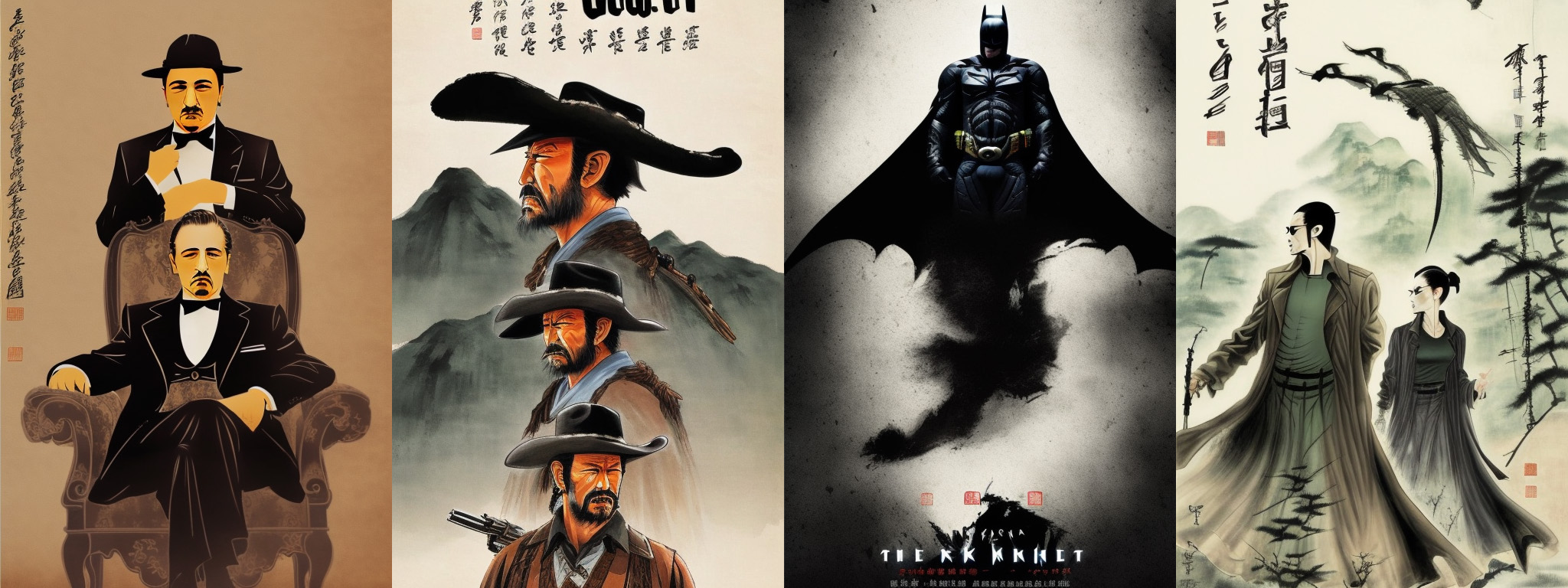 |
|  |
|
|
| ## How to use |
| #### WebUI |
| Download the `guohua.ckpt` in model files. |
| #### Diffusers |
|
|
| This model can be used just like any other Stable Diffusion model. For more information, |
| please have a look at the [Stable Diffusion](https://huggingface.co/docs/diffusers/api/pipelines/stable_diffusion). |
|
|
| ```python |
| #!pip install diffusers transformers scipy torch |
| from diffusers import StableDiffusionPipeline |
| import torch |
| |
| model_id = "Langboat/Guohua-Diffusion" |
| pipe = StableDiffusionPipeline.from_pretrained(model_id, torch_dtype=torch.float16) |
| pipe = pipe.to("cuda") |
| |
| prompt = "The Godfather poster in guohua style" |
| image = pipe(prompt).images[0] |
| |
| image.save("./the_god_father.png") |
| ``` |
|
|